Hey there,
Seeding runs on links. You send them in DMs and bios, and creators send them back to you. This release makes those links easier to read, easier to share and easier to trace back to the right form.
It also brings your past gifting into Unboxx, and lets your AI assistant find and vet creators for you.
1. Gifting links people can read
A link like yourbrand.unboxx.link/ewo6tf3gf5sn9xsn looks like spam in a DM. Now each form can have a readable address, such as yourbrand.unboxx.link/summer-drop.
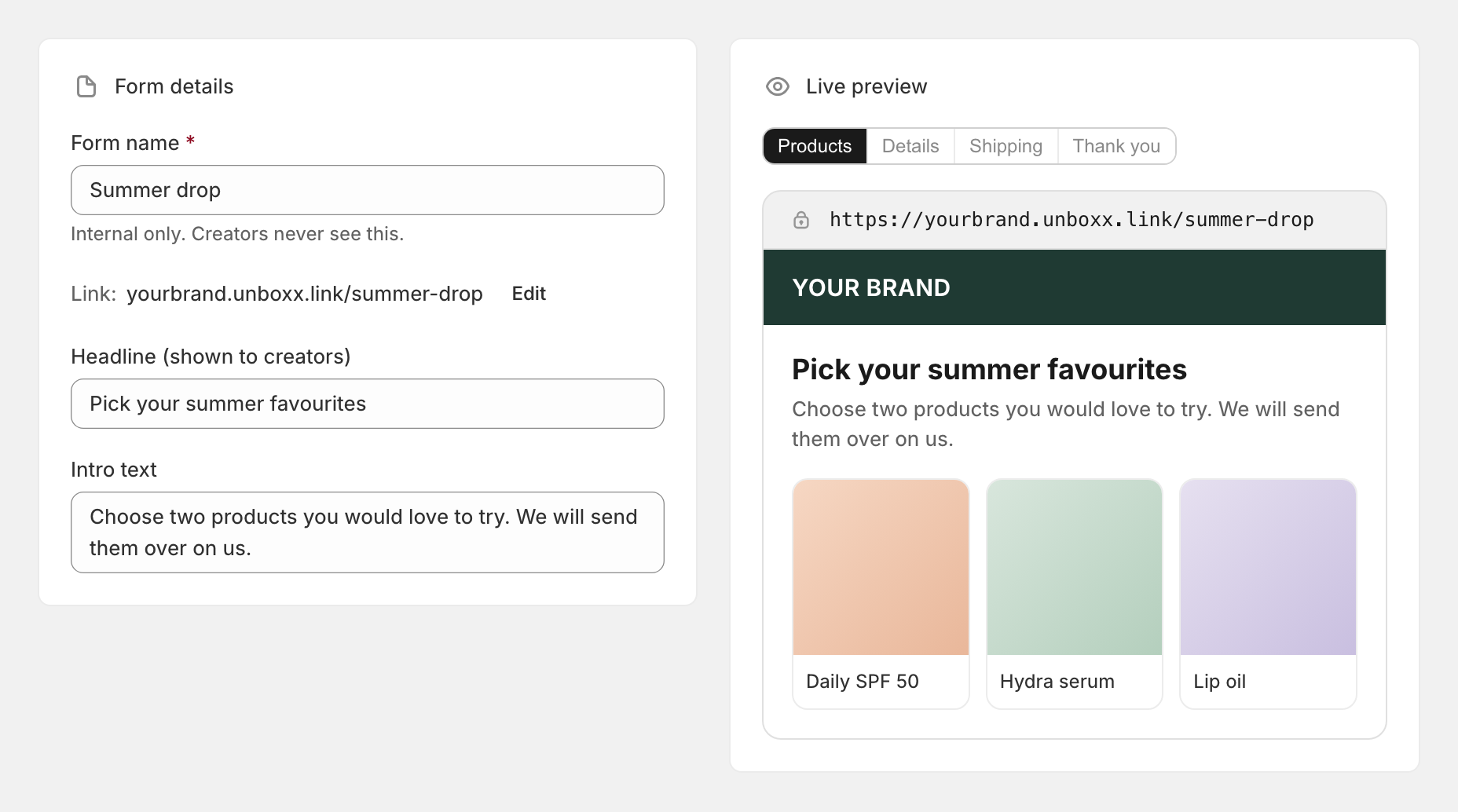
- New forms get an address from their name automatically
- Click Edit next to the link under the form name to change it
- The preview's address bar shows the link as you type
- Your older links stay the same until you edit them, and every link you have already shared keeps working
- An address stays with its form. Another form can't take it, so a link you've shared never opens the wrong form
Someone sends you a link and asks which form it is? Paste it into the search box on the Gifting forms page. It finds the form, even from an old address.
2. Send terms on WhatsApp or by DM
Many creators answer a WhatsApp message faster than an email. Now you can send them your terms there.
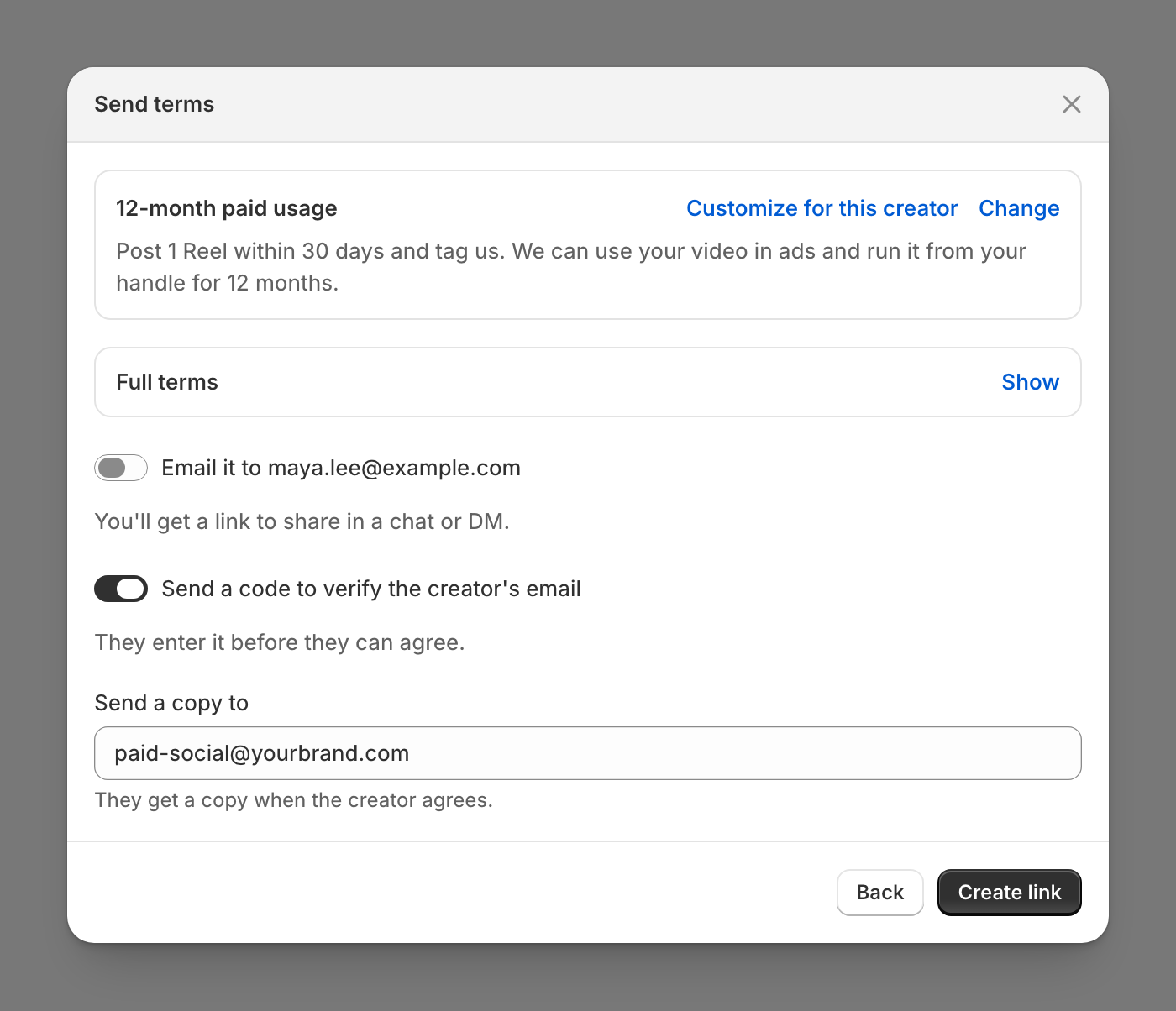
- Turn off Email it to in the Send terms popup and the link is copied right away
- An open request now has Copy link next to Resend and Cancel
- You can send terms to creators with no email address on file
- If the creator already agreed to these terms, the popup tells you the date before you send
3. Custom terms for one creator
Some deals only apply to one creator, like a usage fee, a go-live date or the posts you want to run as ads. You no longer have to save a template for each one.
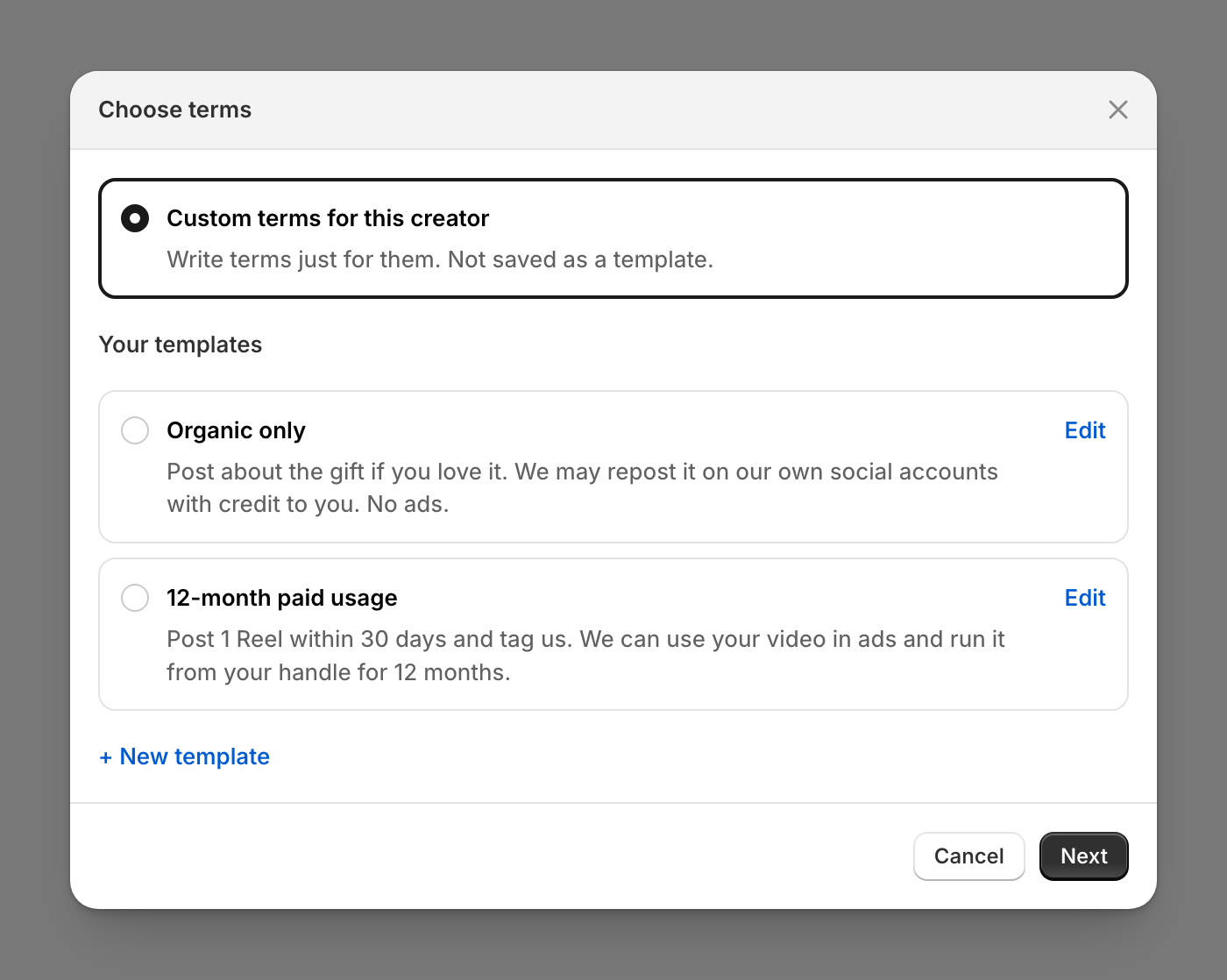
- Pick Custom terms for this creator and write terms just for them
- Or choose a template and click Customize for this creator to send them an edited copy. The template doesn't change
- Use Full terms to read the text exactly as the creator will see it
- Once sent, View terms shows the version that creator got
Your reusable terms are now called templates.
4. Bring in the gifts you sent before Unboxx
Already gifted creators straight from Shopify? Link those orders to them. Each creator then counts as Gifted, and their gift value shows up in your numbers.
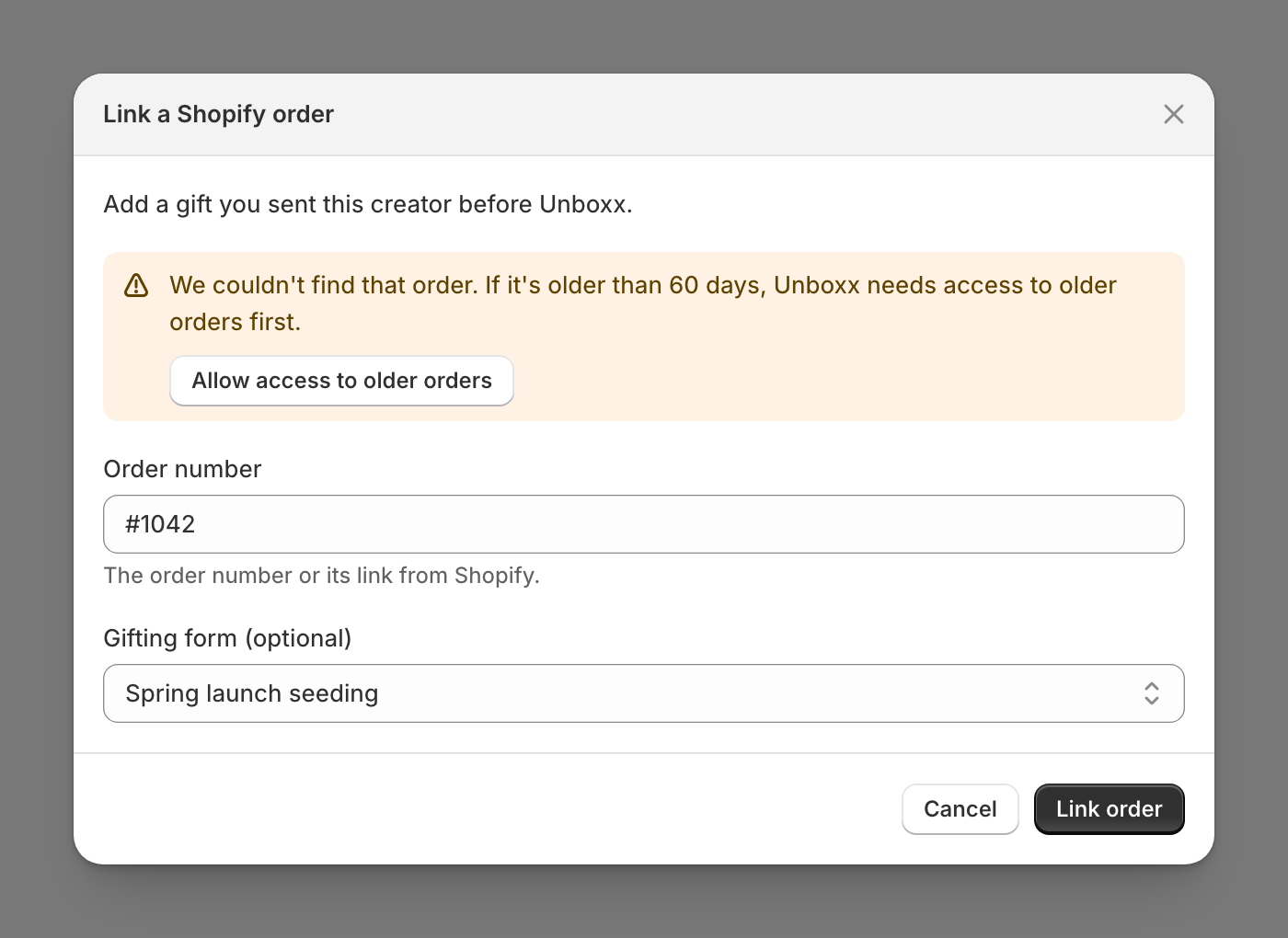
- On a creator page, open the Gifting tab and click Link Shopify order
- Enter the order number (like #1042) or paste the order's admin link
- You can add it to a gifting form, or leave it under Imported orders
- For orders older than 60 days, click Allow access to older orders once, then link as usual
- Linked the wrong order? Click Unlink on the row
This works in the Companion Portal too, for teammates with access to orders.
5. Auto-refresh, right on the creator page
The Content tab on a creator page now shows each post's refresh schedule: Off, Daily, Weekly or Monthly. Open a post to change it without going to the Content page.
Scheduled refresh is part of the Growth plan and up.
6. Find and vet creators from your AI assistant
Connect Unboxx to Claude or ChatGPT, then ask in plain words: "Find skincare creators in Sydney with 20k to 100k followers, check which ones fit our store, and shortlist the best three."
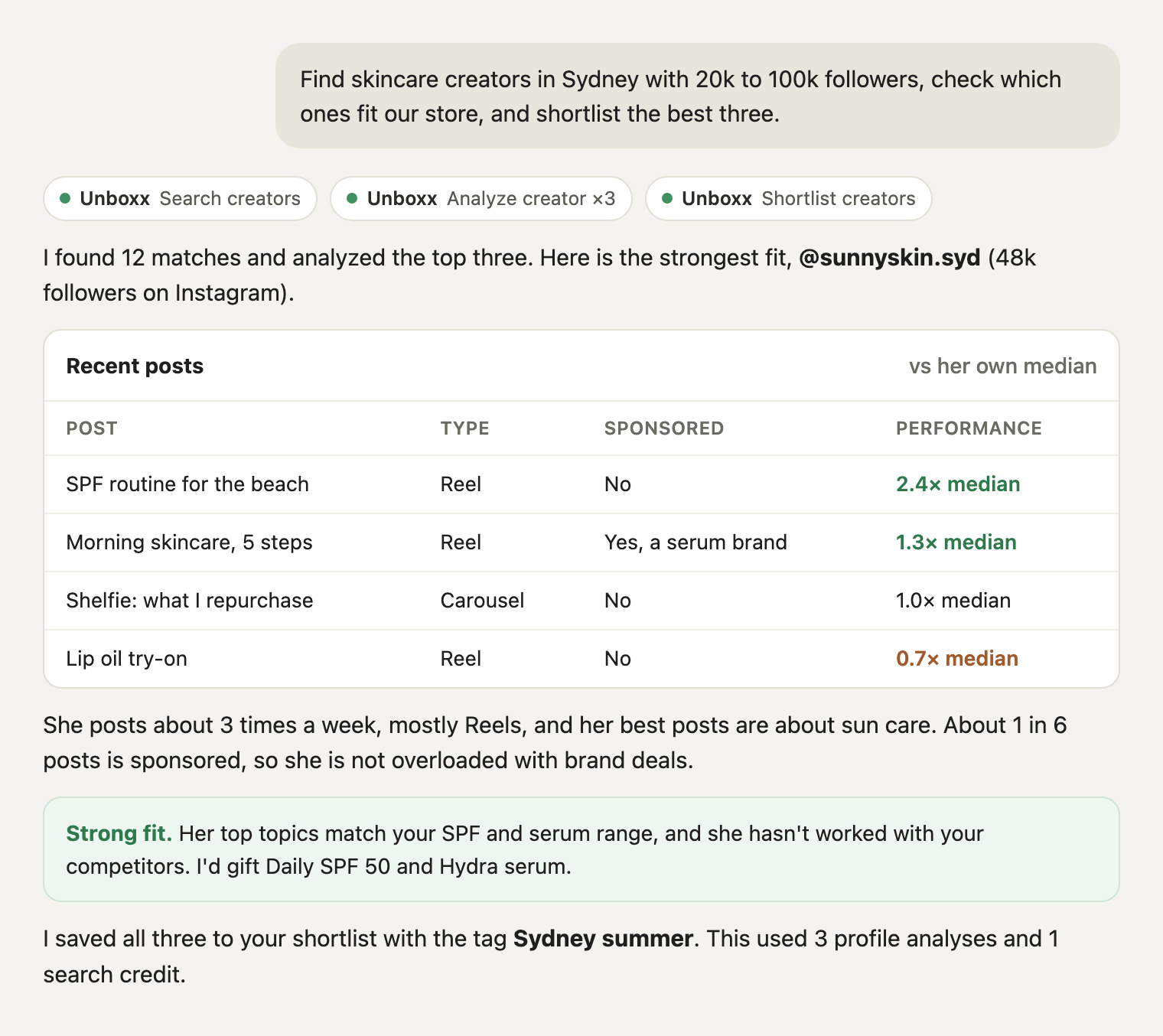
Your assistant can now:
- Search creators with the same filters as Discover
- Analyze a creator by reading their recent posts and comparing them with what your store sells. It shows how each post did, how often they post, who has sponsored them, and whether they fit your brand
- Look back over any period, such as "the last 3 months" or "since 1 August", up to 2 years
- Unlock contacts, add creators to your CRM and save them to your shortlist
- Pull an audience report, covering who follows the creator, where those followers live and how authentic the audience is
Each search or contact unlock uses credits, just as it does in Discover. Creator analyses come from a new Profile analyses allowance on every plan, per billing period:
- Free: 3
- Lite: 50
- Growth: 200
- Scale: 700
- Enterprise: Unlimited
A look-back analysis uses one per 12 posts read. Your assistant asks you before spending any. Analyzing the same creator again within 24 hours is free. You can see what you have left in Settings, under Usage.
Not connected yet? Go to Settings and open AI assistants. It's free on every plan.
7. Works on your phone
Unboxx now fits phones and tablets. Approve a request, check a creator or copy a link while you're away from your desk. On Discover, the filters open in a side panel on small screens.
Questions or ideas? Email us at support@unboxx.app. We read every email.
Best regards,
Manzoor
Founder, Unboxx