Hey there,
Until today, emailing a creator meant this. Find them in Unboxx. Copy the email. Open Gmail. Dig up the last thing you sent. Rewrite it. Send. Come back and try to remember who you emailed.
That ends now. You can send emails straight from Unboxx. Connect your Gmail once and every creator conversation starts where your creator program already runs.
1. Send from the creator or from the order
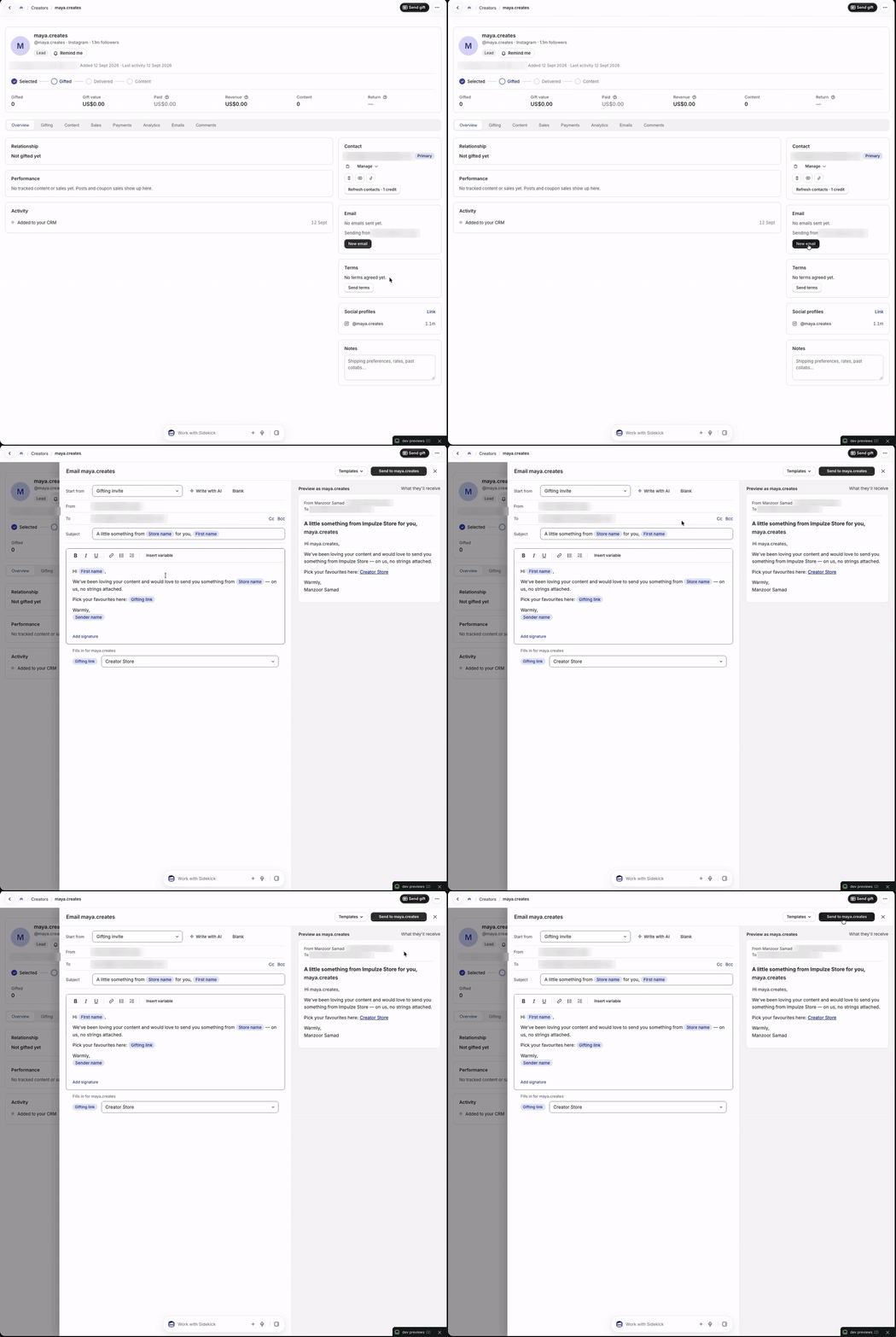
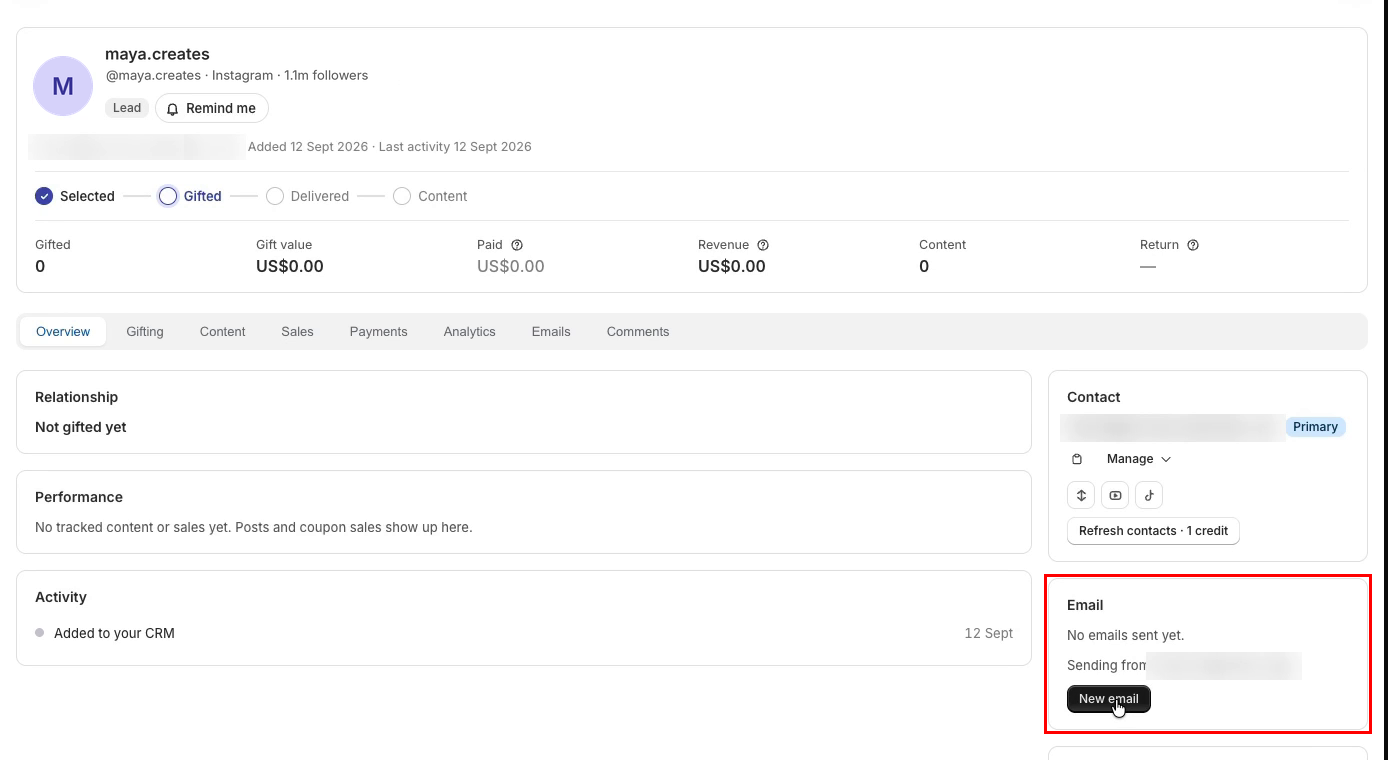
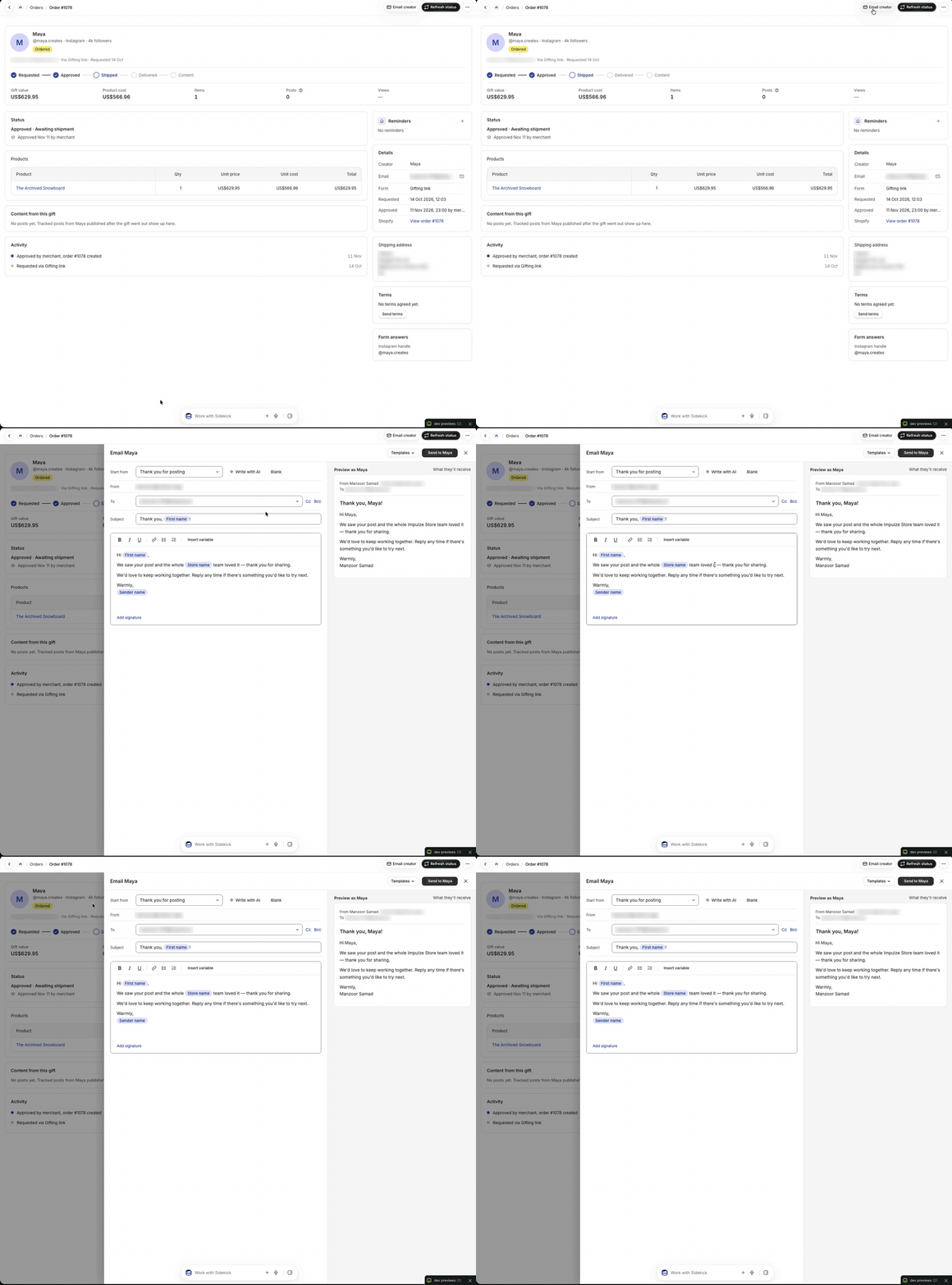
Two places. Zero tab switching.
- From the creator: open any creator and hit New email. It is right there on the profile
- From the order: product is on the way? They posted? Hit Email creator at the top of the order and send your update or thank you
Emails go out from your own Gmail. Creators see you, not a no-reply address. Need more than one inbox? Connect multiple Gmail accounts. How many depends on your plan.
2. Your full history with every creator, in one place
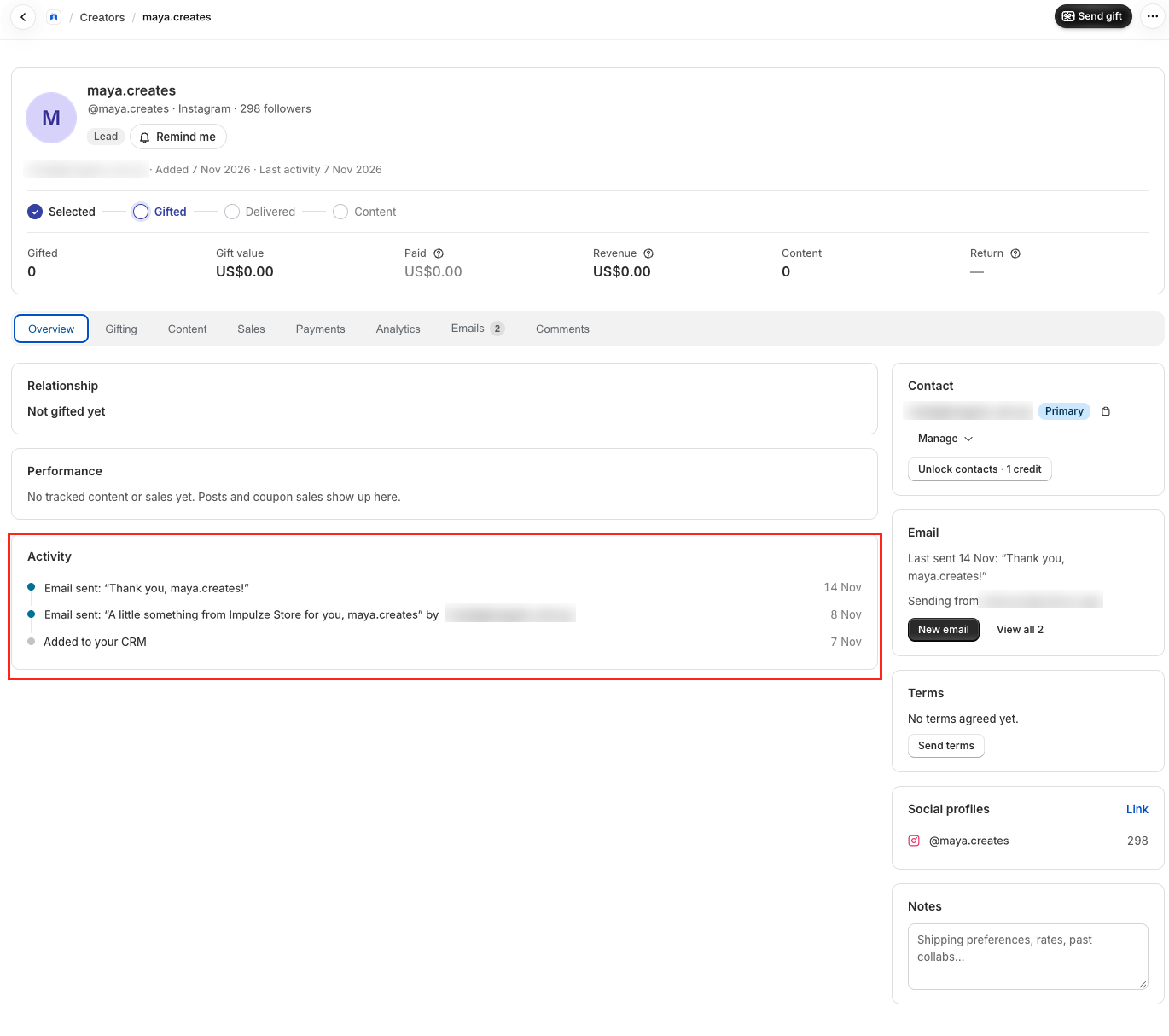
Every email you send is logged on the creator's activity. Subject, date and who on your team sent it.
Open any creator and the whole relationship is right there. When they were added. What you sent. What happened next. No more asking the team "did anyone email her?"
3. Templates that make the job easier
Most creator emails are the same five emails. First hello. Product is shipped. Here is the brief. Quick reminder. Thank you. So stop writing them from scratch.
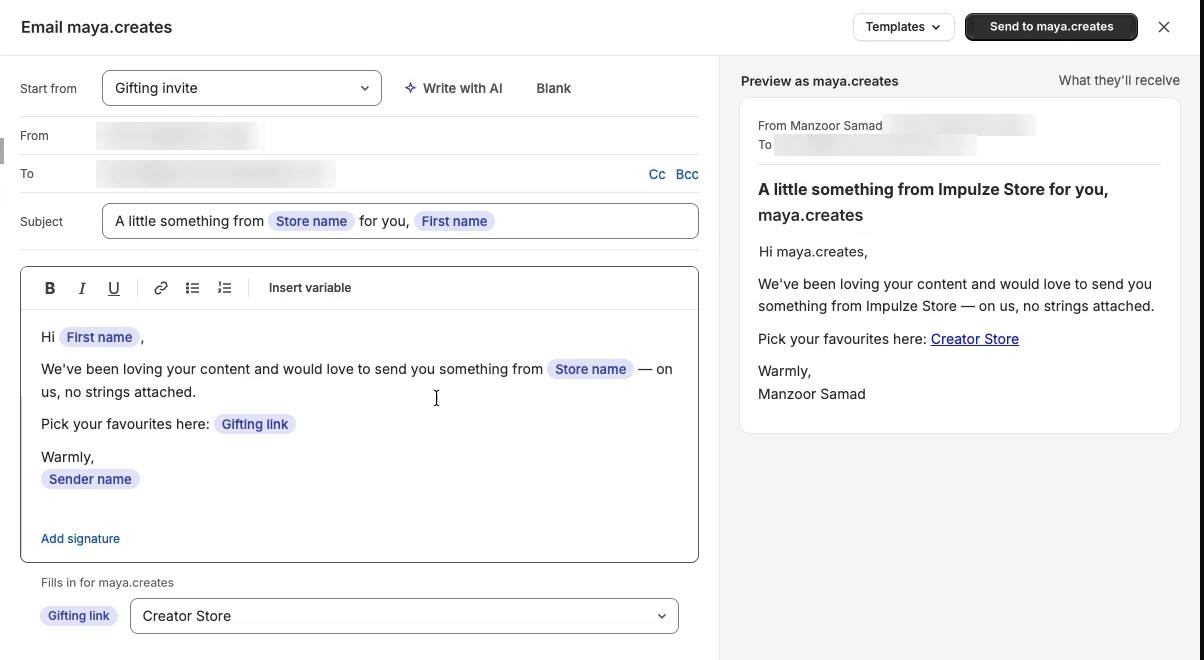
- Pick a template: start from a ready-made one like the gifting invite
- It fills itself in: creator name, store name and gifting link drop in for each creator
- See it before it goes: the preview shows exactly what the creator will receive
- Make it yours: save your own templates and build playbooks so the whole team sends the same thing
Pick, check, send. One click.
4. Write it with AI
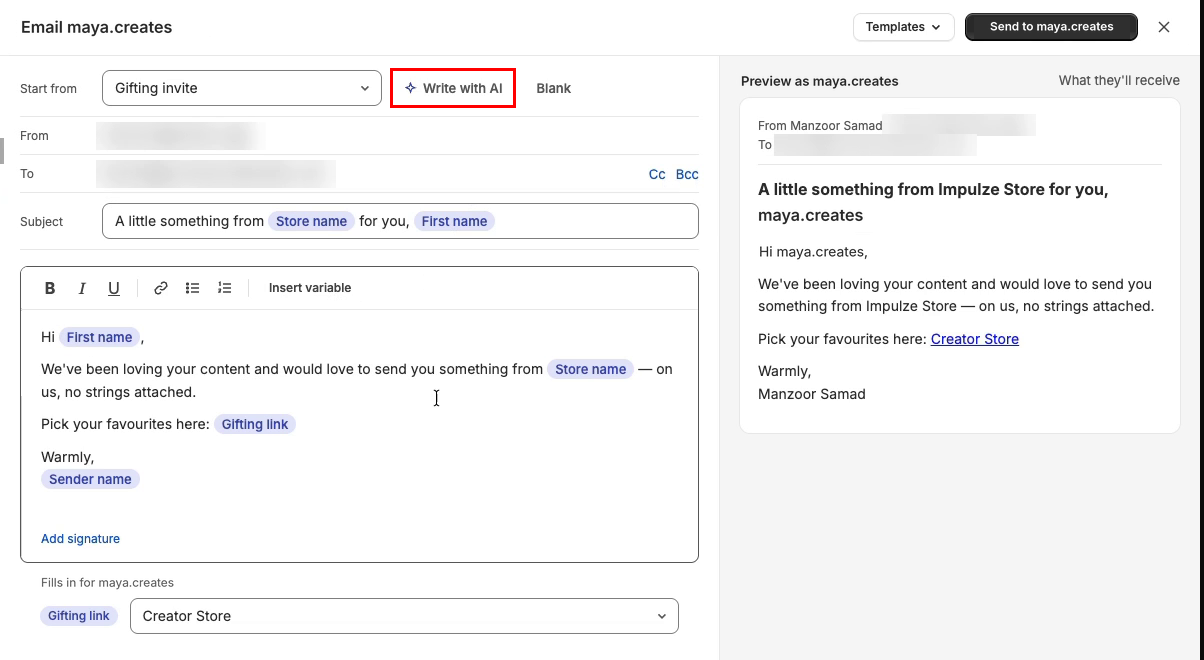
Not sure what to say? Tell it what you want. "Invite her to our holiday collab. Keep it short and friendly." Write with AI drafts the email. You edit and send.
5. Or just ask your AI assistant
Unboxx works with MCP. Once your inbox is connected, your AI assistant can send the email for you. "Email Maya the gifting invite." Done.
6. Available on all paid plans
Email sending is live today on every paid plan. Set it up in two minutes:
- Open Settings and connect your Gmail
- Open a creator profile or an order
- Pick a template, or use Write with AI
- Send
Questions or ideas? Email us at support@unboxx.app. We read every email.
Best regards,
Manzoor
Founder, Unboxx