Hey there,
The gift is rarely the whole cost. There's the fee for the Reel. The bonus when a post does well. The usage rights for the ad you ran from their video.
Until now that money lived in a spreadsheet, and Unboxx only counted the gift. So "Total spend" was never really total, and "Return" looked better than it was.
That changes today. You can record every payment to a creator in Unboxx, get reminded when one is due, and see what each creator really cost you.
1. Record the payment on the creator
Open any creator and go to the new Payments tab. Click Add payment.
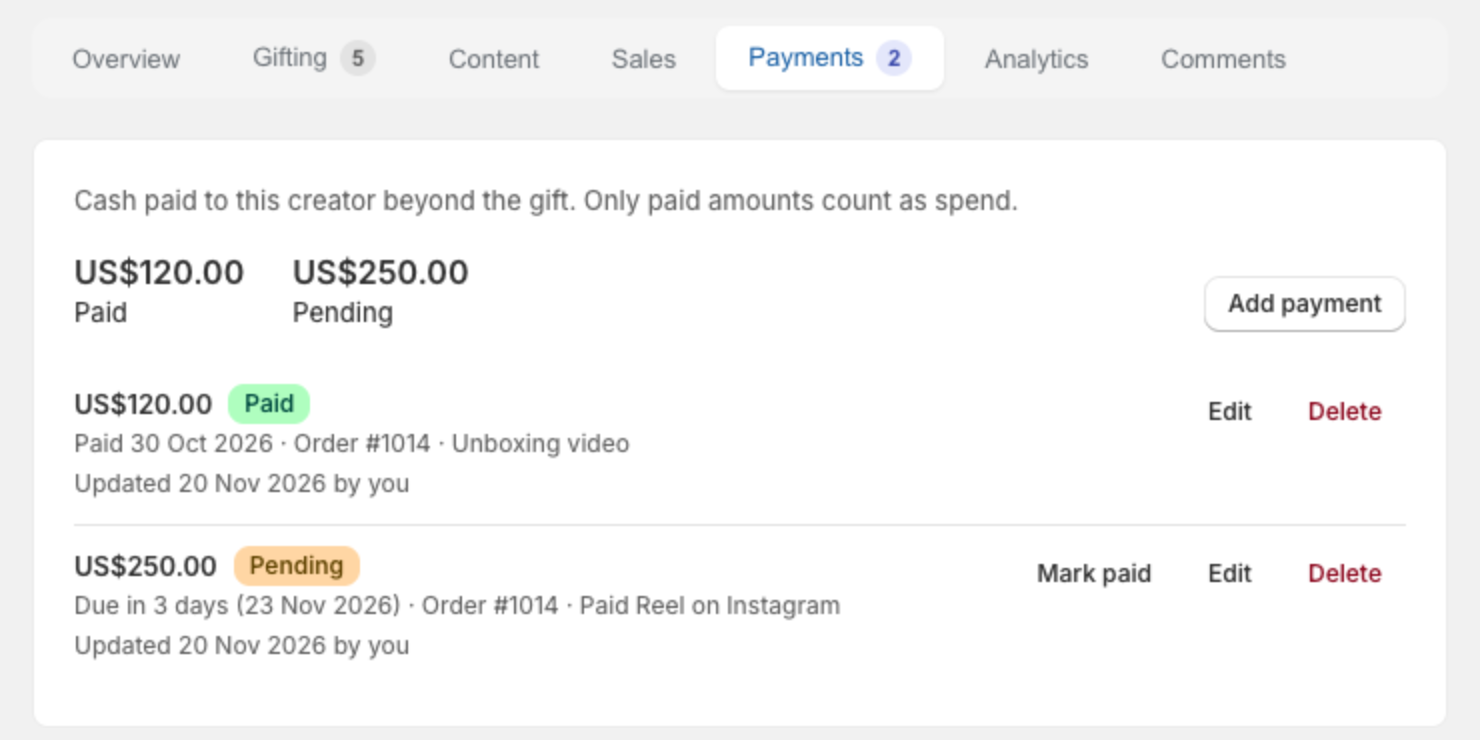
- Amount in your store currency
- Status: Pending if you still owe it, Paid if the money has gone out
- Due date on a pending payment, so Unboxx can remind you
- Order: link it to the gift it belongs to
- Note: what it was for, like "Paid Reel on Instagram"
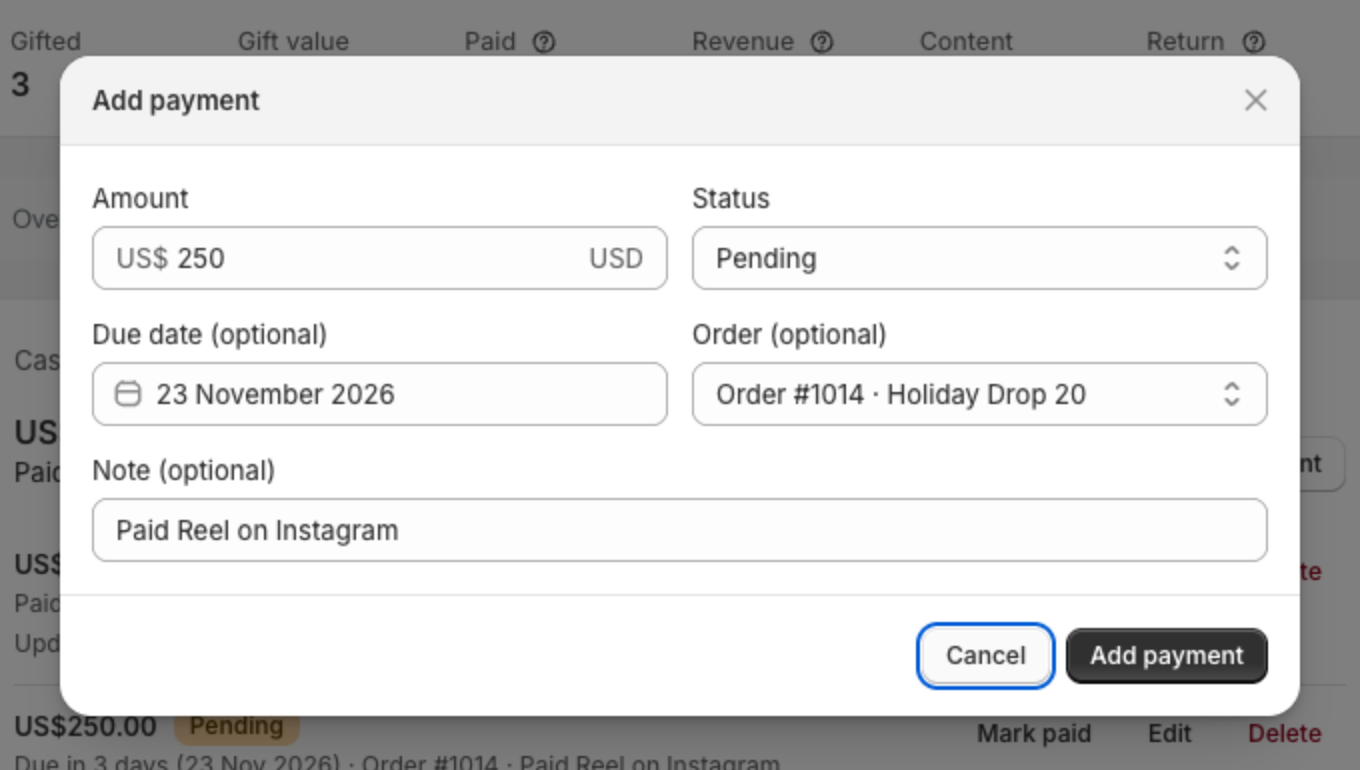
Paid and pending totals sit at the top of the tab. Once the money goes out, click Mark paid on the row.
2. Unboxx reminds you when it's due
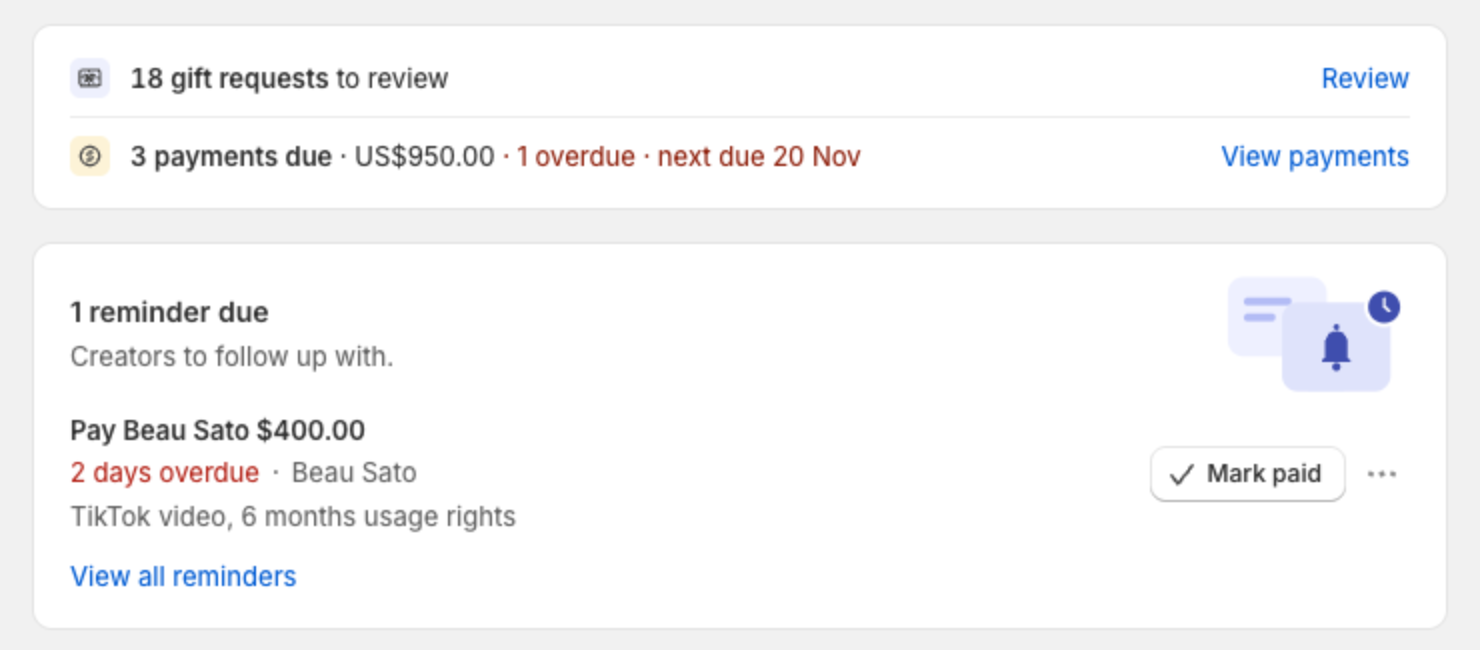
Give a pending payment a due date and it becomes a reminder, the same way "hasn't posted yet" does. It shows on Home when the day comes, and overdue ones turn red.
On the due day you also get one email. It says who, how much, which order and why, with a button to the creator.
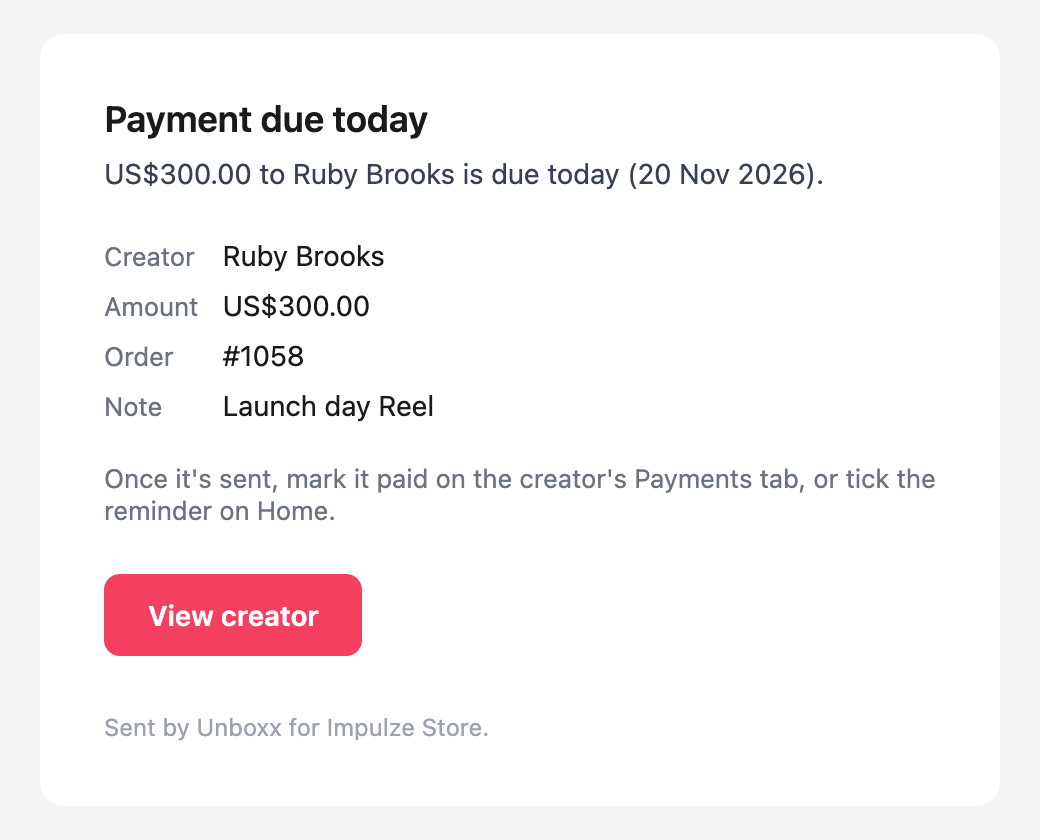
Paid the creator? Click Mark paid on the reminder. Unboxx records the payment as paid today and closes the reminder in one go.
3. Everything you owe, on one page
Home now shows how many payments are pending, the total, and the next due date. Click View payments to see them all.
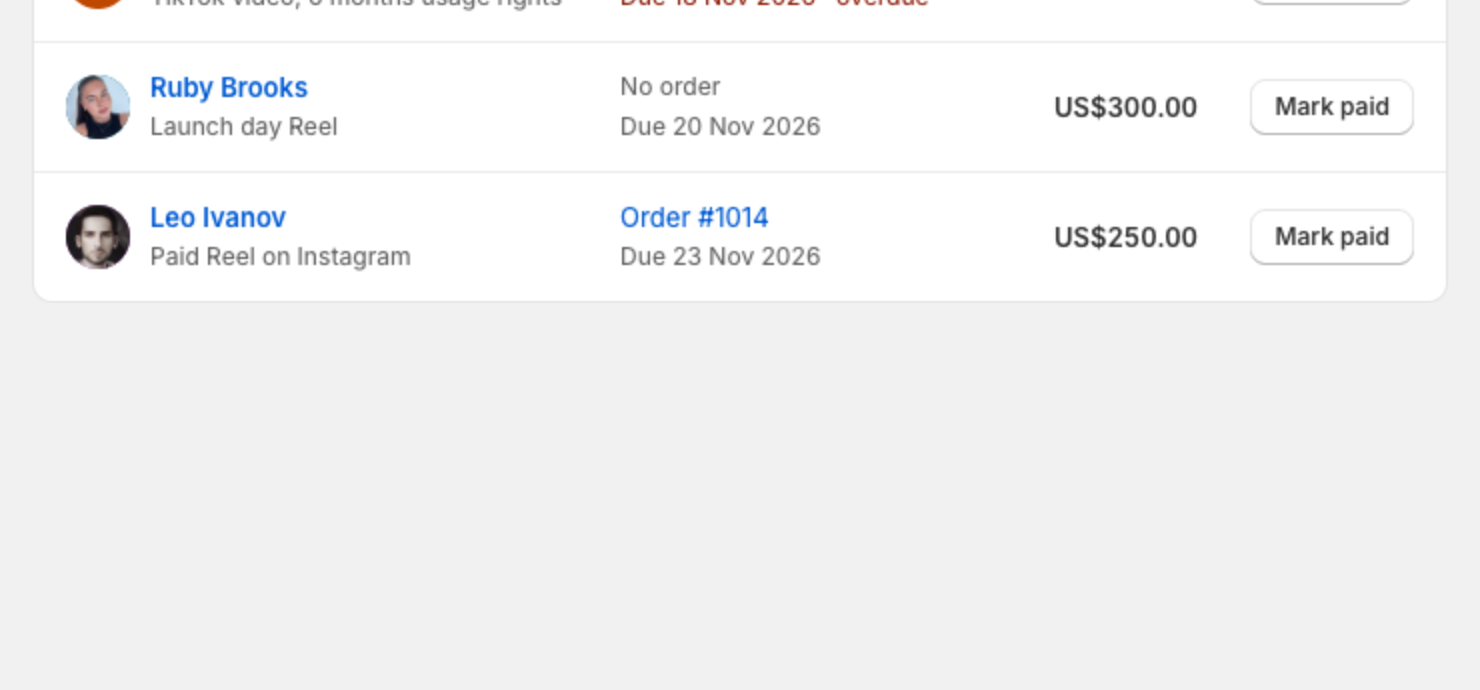
- Pending lists what you still owe, overdue first
- Paid is your record of what went out
- Mark paid right from the list, or click the creator's name to edit the payment
4. Your real spend, per creator and per order
Paid payments now count as spend everywhere Unboxx shows it:
- Total spend on Home and on each gifting form includes cash paid to creators
- Each order shows the creator payments linked to it, next to gift value and product cost
- Every creator gets a Paid figure, and their Return is now sales divided by gift value plus cash paid. No more flattering numbers
- The Orders list has a Creator payments column
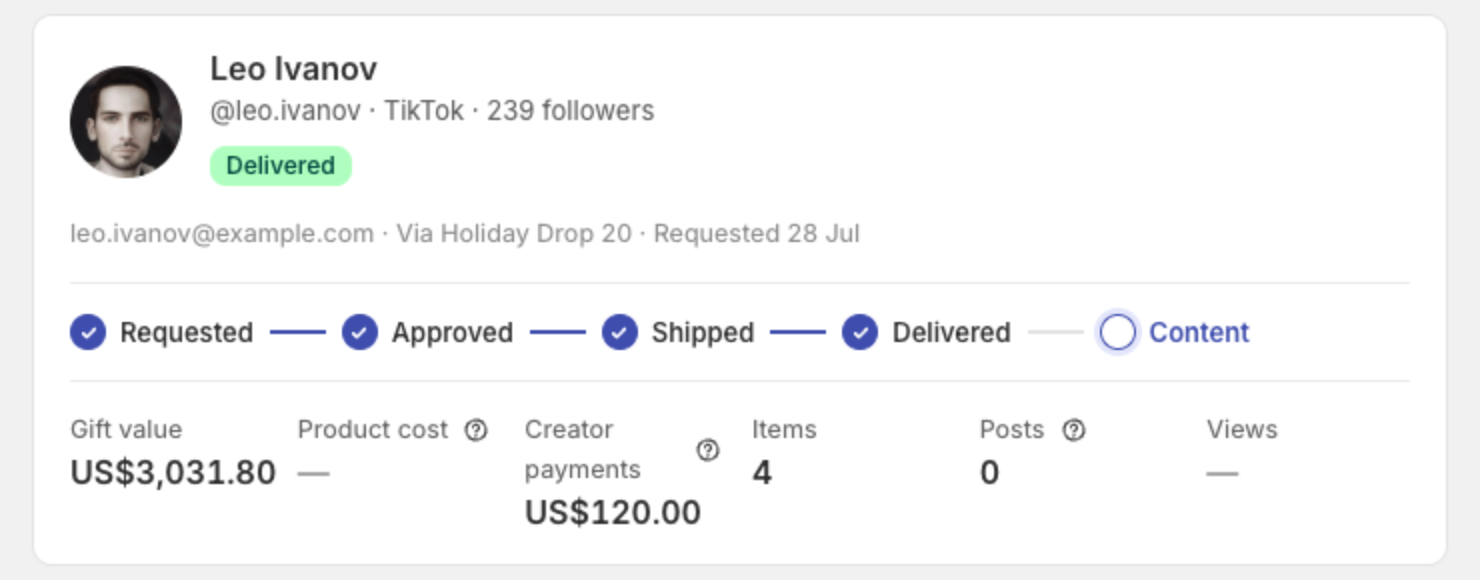
Only payments marked Paid count. A pending payment is a commitment, not money spent, so it stays out of the totals until you mark it paid.
5. In the Companion Portal too
Your team can record and mark payments in the Companion Portal. Admin and Marketing roles can add and edit them. Operations can see them.
6. Available on every plan
Creator payments are live today on all plans, including Free. To start:
- Open a creator and go to the Payments tab
- Click Add payment and enter the amount
- Add a due date if you haven't paid yet
- Mark it paid once the money goes out
Questions or ideas? Email us at support@unboxx.app. We read every email.
Best regards,
Manzoor
Founder, Unboxx